
$24.69
Add to Cart
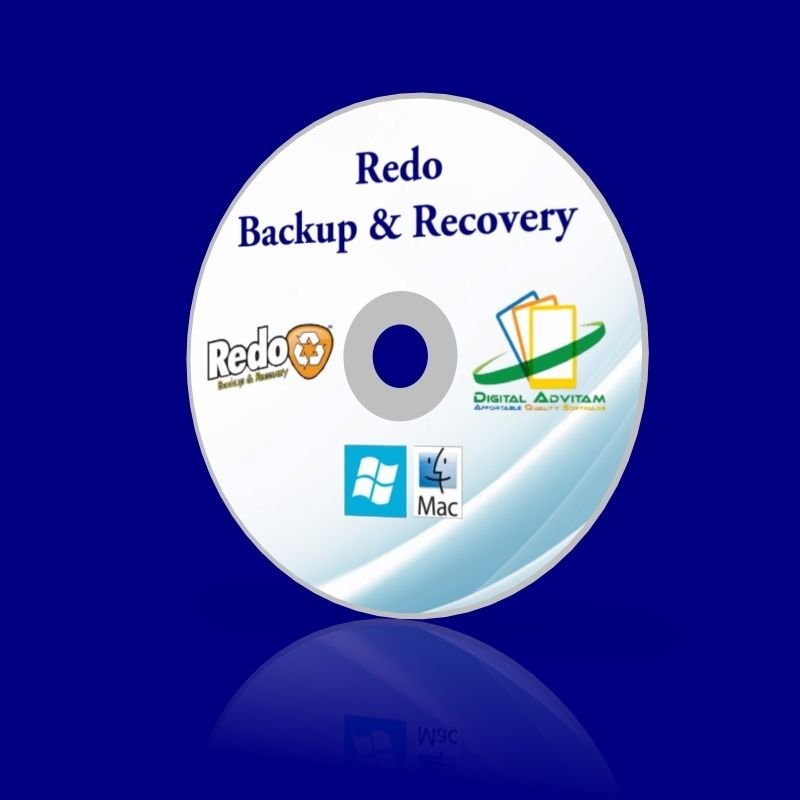
Back Up Restore Recover files Partition Hard drive clone disc Windows 10 8 7XP
2 available
Details
Shipping: US-Mainland: free (more destinations)
Condition: Brand new
*The store has not been updated recently. You may want to contact the merchant to confirm the availability of the product.


REDO BACKUP & RECOVERY Featuresthe most advanced recovery solution. It is small, fast, and very easy to use, even for everyday computer users. No Installation NeededYou don't have to install Redo Backup. And you don't even need to have an operating system installed to recover. Just insert the CD or USB stick into your PC and reboot. Never reinstall Windows again! Boots in SecondsThe system boots in about 30 seconds from USB, and all your hardware gets detected automatically. It uses minimal space and resources, the download is only 250MB, and you can copy it freely. No licenses or serial numbers! It's PrettyRedo Backup provides a point-and-click interface with network access and a complete operating system (via Ubuntu). Open other applications while your system backup is being transferred. Works with Windows or LinuxSome backup solutions only work with Windows, and some only work with Linux. But with Redo Backup, any computer user can save and restore all machines with the same tool. Finds Network SharesRedo Backup will automatically search your local area network for drives to backup to or restore from. You don't need to know any details about a shared folder or network-attached storage device. Access Your FilesCan't boot or log in, but need files from your PC? No problem: just pop the Redo Backup CD in, reboot, and you can copy your documents to another drive, a network-shared folder, or a USB stick. Recover Lost DataIf you accidentally delete a file or empty your Recycle Bin, simply shut down the computer, insert the Redo Backup CD, and open the file recovery tool, which will undelete your files and save them to another drive. Easy Internet AccessIs your computer broken, but you need Internet access to download drivers or read documentation? In about one minute, you can insert the Redo Backup CD, reboot, and be browsing the Internet. Factory Drive ResetBefore selling or giving an old PC away, be sure all personal or business data has been removed by using the drive reset utility. This ensures that no private information is left on the disk. Drive Configuration ToolsGraphically edit, manage, and resize partitions to take full advantage of your drive's capacity. Access powerful drive management and partition editing tools from the Redo Backup start menu. CLONE, BACK UP, CREATE ADD OR DELETE PARTITIONS, RE DO BACK UP DOES IT ALL! All your documents and settings will be restored to the exact same state they were in when the last snapshot was taken. Redo Backup and Recovery is a live CD, so it does not matter if you use Windows or Linux or Mac. You can use the same tool to backup and restore every machine. More Features, Less Complex Redo Backup has the most features coupled with the simplest, most user-friendly interface: Easy graphical user interface boots from CD in less than a minuteNo installation needed; runs from a CD-ROM.Saves and restores Windows and Linux machinesAutomatically finds local network sharesAccess your files even if you can't log inRecover deleted pictures, documents, and other filesInternet access with a full-featured browser to download driversCreate or delete partitions on the same hard drive you want to clone.Many excellent solutions such as Acronis and Norton Ghost already exist. However, most backup tools only save data files (rather than the whole system), or come with restrictive licenses. Many are applications that are designed to run on a specific platform. While there are some open source alternatives, these programs are often far too complex for regular users, and most require knowledge of a command line, or ask too many difficult questions.Everyday computer users, more than any other group, need an intuitive point-and-click solution that can recover them from a disaster, and Redo Backup and Recovery was designed for this very purpose. It is the simplest backup and recovery solution available.How Does it Work? Most backup and restore programs require your system to be up and running in order to restore. But what if you cannot boot into Windows? What if you have a nasty virus, and you can't even open Windows to try to restore it back to how it was? Redo doesn't need Windows. Place it in your CD-ROM drive, and reboot your machine. The system will load a complete mini operating system with a point-and-click user interface into your computer's memory, without writing any information to your hard drive. Then you will be able to perform backup, restore and recovery actions—guaranteed—even if you aren't able to boot into your regular operating system. How do I get my computer to boot from a USB/CD? You need to make sure the BIOS is set to boot from the correct drive. In most cases, this will require you to manually prioritize the CD/DVD/USB as the boot drive ahead of your usual C: drive. To make this change, you first have to access your computer’s BIOS configuration utility. While the specifics vary from computer to computer, the following steps should be of use to most users: Place the CD/DVD in your drive or insert the USB key as appropriate Shut down your computer. Note – do a full shut down. A soft restart will not clear memory and the BIOS setup might not appear. Turn your computer back on and be ready to react quickly. During system start up, you will see a message similar to one of the following: Press to enter setup Or Press to open bios configuration utility Or Press to change boot order It is usually one of the F1 – F12 keys or the DEL key (F2 and DEL are popular). Quickly press whichever key you are requested to press. If you miss it this time, simply try again by shutting down then starting your computer. Having hit the correct key, the bios configuration utility will start. Look for an entry that states 'Boot Order', 'Change Boot Order', 'Change Boot Sequence' or similar. Select it and press enter. Use the arrow keys to select the CD/DVD drive or USB port that you wish to boot from. If you are shown a sequential boot order, make sure CD/DVD/USB (as applicable) is first on the list. Save and exit. Your machine should automatically reboot to the CRD drive, allowing you to use the program. F.A.Q Is this a trial version or full software?This is a full version of the software. Your license also entitles you to free upgrades for life. We use open-source software to provide a more affordable alternative to expensive software on the market. We charge for our work to professionally make and package the auto-run CD-ROM for your usage. Install instruction is also included. And if you have any questions, please feel free to contact us and we will try our best to assist you. Can I install on more than one computer? Yes. You may install on unlimited PCs within your household and use this software without restrictions. Is this software compatible with my version of Windows? Yes. It is compatible with Windows 98, ME, XP, Vista, and Windows 7, 8, 10 both 32bits *& 64bits. Do you supply printed manual?No. All user manuals are in digital form. Is this Legal software? Yes! This is 100% legal software! All software under GNU LicenseWe are Authorized Distributors Under GNU GPL (General Public License) Is this software supplied with the box?Sorry no, box for illustration only, everything is supplied on CD-R and DVDR. Does this software have to be activated? No activation is required ! Payment We accept all major credit cards and paypal Shipping You will receive a CD with a jewel case/CD sleeve. Majority of our shipment are via USPS/FedEx with tracking number This software does not break any eCRATER rules or copyright laws. This is not a boot limited, OEM, shareware, bootleg or trial version, No activation or CD key is required to take full advantage of this software. CD-ROM set does not come in a retail box as it is Open Source software. Installation is as simple as inserting the CD in your computer. All the software programs included in this listing and included on these CD-ROM's are Open Source, not "freeware" or "shareware". I am authorized to distribute this software under the GNU LGPL. This listing does not violate the Digital Delivered Goods Policy as it ONLY offers a CD version. The links contained in this listing lead to other items offered and complies with the Links Policy as outlined by eCRATER. No copyright or trademark laws have been infringed. This product is in full compliance and full accordance to eCRATER's Media Policy and Unauthorized Copies Policy.Copies of these licenses can be provided upon request. Please contact before taking action.


